



How to Use Ford’s AI-Powered Safety Features: A Step-by-Step Guide
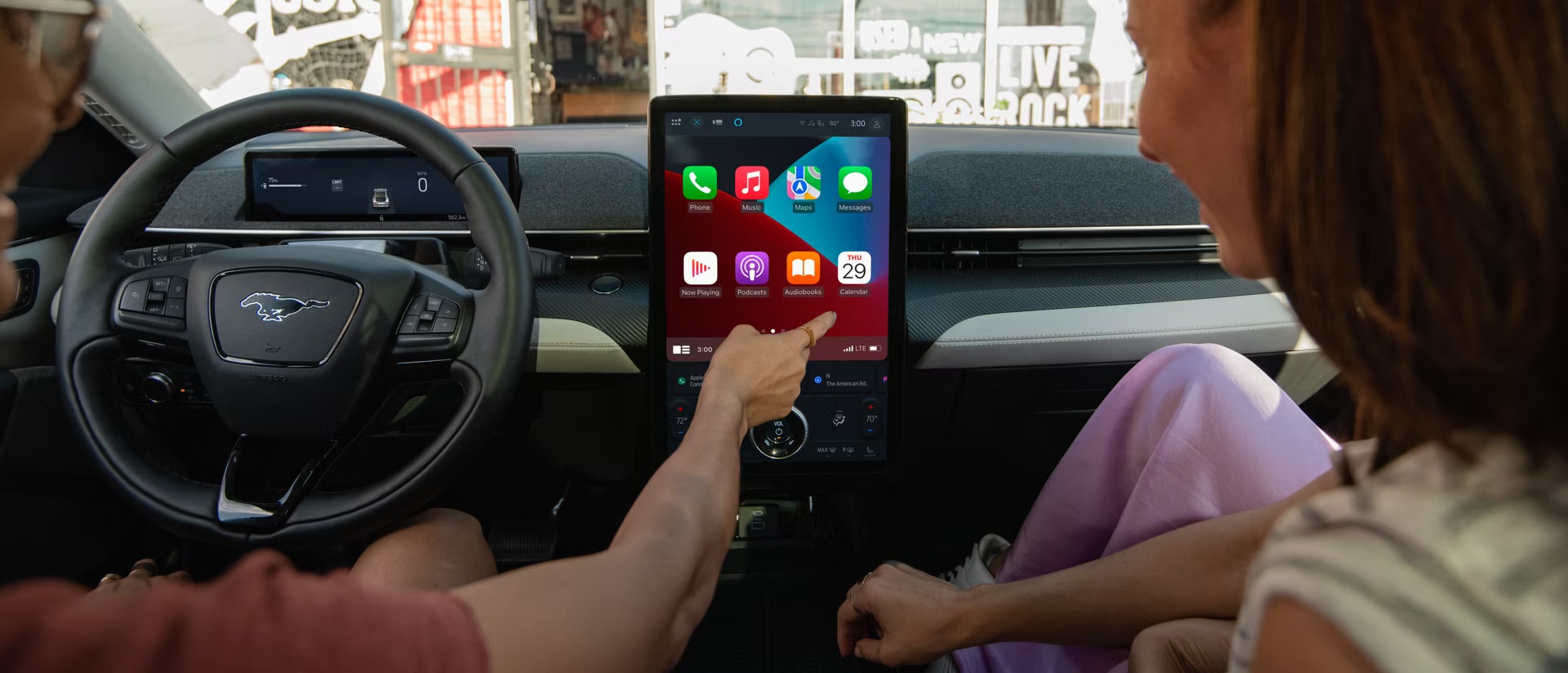
Daily driving in and around Athens can mean weaving through campus traffic, hopping on GA-316 or the Loop for a commute, or visiting nearby communities like Watkinsville and Jefferson. For many drivers in this part of Northeast Georgia, the appeal of Ford’s AI-powered safety features and Ford Co-Pilot360™ is the added confidence they provide on busy streets, in changing road conditions, and on family trips. These advanced driver-assist technologies use cameras, sensors, and intelligent software to support safer, calmer driving without taking control away from you.
As vehicles become more connected and intelligent, it’s normal to feel curious—or even a bit unsure—about how these systems work. The good news is that Ford has designed its safety technology to be user-friendly, practical, and approachable for everyday drivers. With a little guidance, you can learn how to turn these features on, interpret their alerts, and customize them so they feel like a natural extension of your driving style.
Why Ford’s AI Safety Features Matter for Local Drivers
Modern roads demand more awareness than ever before. Heavy traffic, unexpected stops, construction zones, and changing weather can all increase the mental load on the person behind the wheel. Ford’s AI-powered safety features are designed to help you manage that load by monitoring what’s happening around your vehicle and providing timely reminders or assistance when you need them.
Instead of replacing your judgment, these systems act like an extra set of electronic eyes and ears. They can recognize lane markings, detect vehicles ahead, and notice when your steering becomes inconsistent. The result is a driving experience that feels more informed and more supported, especially on longer trips or during busy commuting hours.
For many families and commuters, this added support brings peace of mind. Parents like having extra layers of protection when a teen is learning to drive. Professionals appreciate features that reduce stress on longer drives. And anyone who’s ever been caught off guard by sudden braking in front of them understands the value of technology that’s constantly scanning the road ahead.
How Lane-Keeping Assist Works — And How to Use It
Lane-Keeping Assist is one of the most visible examples of Ford’s driver-assist technology in action. This system uses a forward-facing camera to monitor lane markings and subtle steering inputs. When it detects that the vehicle is drifting out of its lane without a turn signal, it can provide gentle steering support or alerts to help guide you back toward the center.
Using Lane-Keeping Assist is straightforward. Once your Ford vehicle is moving at the appropriate speed for the system to activate, you can turn it on with a button that is often located on or near the steering wheel. When the system is active and can detect lane lines, an icon typically appears in the instrument cluster. Depending on your preferences, you can choose between an alert-only setting that vibrates the steering wheel or an assist mode that adds gentle steering input in addition to alerts. Some drivers prefer to start with alerts, then move to assist once they are comfortable.
It’s important to remember that lane-keeping technology does not steer for you or guarantee that you’ll always stay in your lane. If lane markings are faded, covered by snow, or obscured by glare, performance may be limited. You should always keep your hands on the wheel and your attention on the road. Think of this feature as a helpful reminder that nudges you back in line if your focus drifts—not a substitute for attentive, engaged driving.
Understanding Ford’s Forward Collision Alerts & Automatic Emergency Braking
Another key part of Ford’s AI-powered safety features is the combination of forward collision warning and automatic emergency braking. These systems work together to help you respond more quickly when traffic ahead of you changes suddenly.
Radar and camera-based sensors monitor the space in front of your vehicle. If the system determines that you are closing in on a car or obstacle too quickly, it can trigger a visual alert in the instrument cluster and an audible warning to get your attention. In some situations, you may also feel a change in brake pedal feedback as the system prepares for possible braking.
Your first step when you see or hear these warnings should always be to check the road ahead and take appropriate action—usually by braking or steering away from the hazard if it’s safe to do so. If you don’t respond in time, automatic emergency braking can apply additional brake force to help reduce the severity of a potential collision. This support is especially helpful in situations where traffic comes to an abrupt stop, and your reaction time is limited.
It’s important to understand that collision alerts and braking support cannot prevent every incident, nor do they replace your responsibility as the driver. They exist to help you notice developing situations more quickly and respond with more confidence. The goal is to provide extra backup in those moments when even a split second matters.
Driver Monitoring & Attention Assist — Staying Safer Behind the Wheel
Long days, late nights, and repetitive drives can all contribute to fatigue behind the wheel. Ford’s driver monitoring technology is designed to identify signs that your attention may be fading and gently encourage you to take a break if needed.
The system evaluates steering patterns, lane-keeping behavior, and other driving inputs over time. If it detects changes that may indicate drowsiness or reduced focus, it can display a message on your instrument cluster and sound a chime to get your attention. The goal is not to criticize your driving, but to remind you to listen to what your body might already be telling you.
When you see a message recommending a rest, it’s a good idea to find a safe place to pull over and stretch, grab some water, or switch drivers if possible. This is especially useful on longer highway trips or when you’re driving at times of day when you’re usually asleep. By respecting these reminders, you make the most of Ford’s AI-driven support while still staying firmly in control of your decisions.
Ford Vehicles That Offer AI-Powered Safety Features
Many modern Ford vehicles offer advanced driver-assist technologies through Ford Co-Pilot360 and related safety packages. While the exact features can vary by model year, trim level, and options, several popular vehicles are commonly available with AI-powered safety systems.
For drivers who prefer a truck, models like the Ford F-150 and Ranger can be equipped with technologies such as lane-keeping assistance, forward collision warnings with braking support, and available driver monitoring tools. These features are particularly appealing to those who regularly tow, haul, or spend long hours on the road.
If you’re more interested in an SUV, vehicles like the Ford Escape, Explorer, Edge, and Bronco Sport offer a range of available driver-assist features designed to help you maintain confidence in changing conditions. Many of these SUVs can be equipped with combinations of lane-keeping, blind-spot monitoring, collision alerts, and more, depending on the configuration.
For drivers focused on electrified options, select versions of the Mustang Mach-E and other newer Ford models can offer some of the most advanced driver-assist technology in the lineup. These vehicles often showcase the latest software and hardware updates for Ford’s AI-powered safety features.
Because equipment varies, the best way to understand which specific systems are included on a given vehicle is to review its feature list, consult the owner’s manual, or speak with a product specialist. You can begin exploring options online by browsing new Ford vehicles and used Ford vehicles, then follow up with the team for details on driver-assist and safety technology for specific models.
Which Ford Safety Features Best Fit Your Lifestyle?
Not every driver has the exact needs, and Ford’s safety technology reflects that. The combination of features that works best for you will depend on how far you drive, what kinds of roads you use most often, and who rides with you on a regular basis.
For households with newer drivers, collision alerts and automatic emergency braking are often at the top of the list. These systems help provide additional feedback and support as teens build their skills behind the wheel. Lane-keeping assistance can also play a role in reinforcing safe habits on multi-lane roads.
Drivers who spend a lot of time commuting may appreciate driver monitoring, lane-keeping support, and other features that reduce fatigue over long distances. Meanwhile, those who frequently travel with family may place extra value on technologies that help maintain space from surrounding traffic and provide clear alerts when circumstances change.
Whatever your situation, it helps to think of AI-powered safety features as adjustable tools. You can often customize how sensitive alerts are, which warnings you want to receive, and how the systems respond. Taking a few minutes to explore these settings can make your vehicle feel tailored to your priorities and comfort level.
Explore Ford’s AI-Powered Safety Features with Athens Ford
Whether you’re navigating the busy streets of Athens, heading out toward Watkinsville or Jefferson, or taking a longer drive along GA-316 and other regional highways, Ford’s AI-powered safety features are designed to help you feel more confident and comfortable behind the wheel. These technologies can support your awareness of what’s happening around you, help you react more quickly to changing traffic, and make demanding road conditions feel easier to manage.
If you’d like a personalized walkthrough of Ford Co-Pilot360 and other safety technologies, the team at Athens Ford can help you compare your options, answer your questions, and demonstrate key features in a way that fits your everyday driving. You can visit the dealership or
contact Athens Ford to schedule a time that works best for you. You can also explore our latest
new Ford specials to see current offers on vehicles equipped with advanced safety and driver-assist features.
FAQS
How do Ford’s lane-keeping systems work?
Ford’s lane-keeping technology uses a camera to identify lane markings and detect when the vehicle begins to drift without a turn signal. Depending on your settings, it can alert you or apply gentle steering support to help guide you back toward the center of the lane. You remain in control at all times.
What does Ford’s collision alert warn me about?
Collision alert systems monitor the area ahead of your vehicle and warn you if you’re closing in on a slower vehicle or obstacle too quickly. You’ll typically see a visual warning and hear an audible alert, giving you time to brake or steer as needed. In some situations, automatic emergency braking support can step in to apply additional braking force.
Can AI safety features prevent accidents?
These technologies are designed to help reduce the likelihood or severity of certain types of accidents, but they cannot prevent every incident. They work best when used as an added layer of support on top of attentive, responsible driving.
Do all Ford models come with Co-Pilot360?
Many Ford vehicles offer Ford Co-Pilot360 or similar safety packages, but the exact content varies by model, trim level, and options. It’s always a good idea to review the equipment list for a specific vehicle or speak with a product specialist to understand which features are included.
How do I adjust my Ford’s driver-monitoring settings?
You can usually adjust driver-assist and monitoring settings through your vehicle’s touchscreen or driver information display. Look for a menu related to driver assistance, safety, or vehicle settings. For detailed instructions, consult your owner’s manual or ask a product specialist to show you the options in person.
Is AI driving technology safe for teen drivers?
AI-powered driver-assist technology can be a helpful support tool for newer drivers by providing timely alerts and assistance. However, it should never replace proper driver education, supervision, and adherence to traffic laws. Teens should be taught that these systems assist them—they do not drive the vehicle for them.
0 comment(s) so far on How to Use Ford’s AI-Powered Safety Features: A Step-by-Step Guide